Producing a Professional Live Broadcast of a Student Council Election Debate: Two Weeks of Preparation
A look at preparations for the live broadcast of the 2025 election debate for president and vice president of the 40th Student Council, along with the problems we encountered during the production.
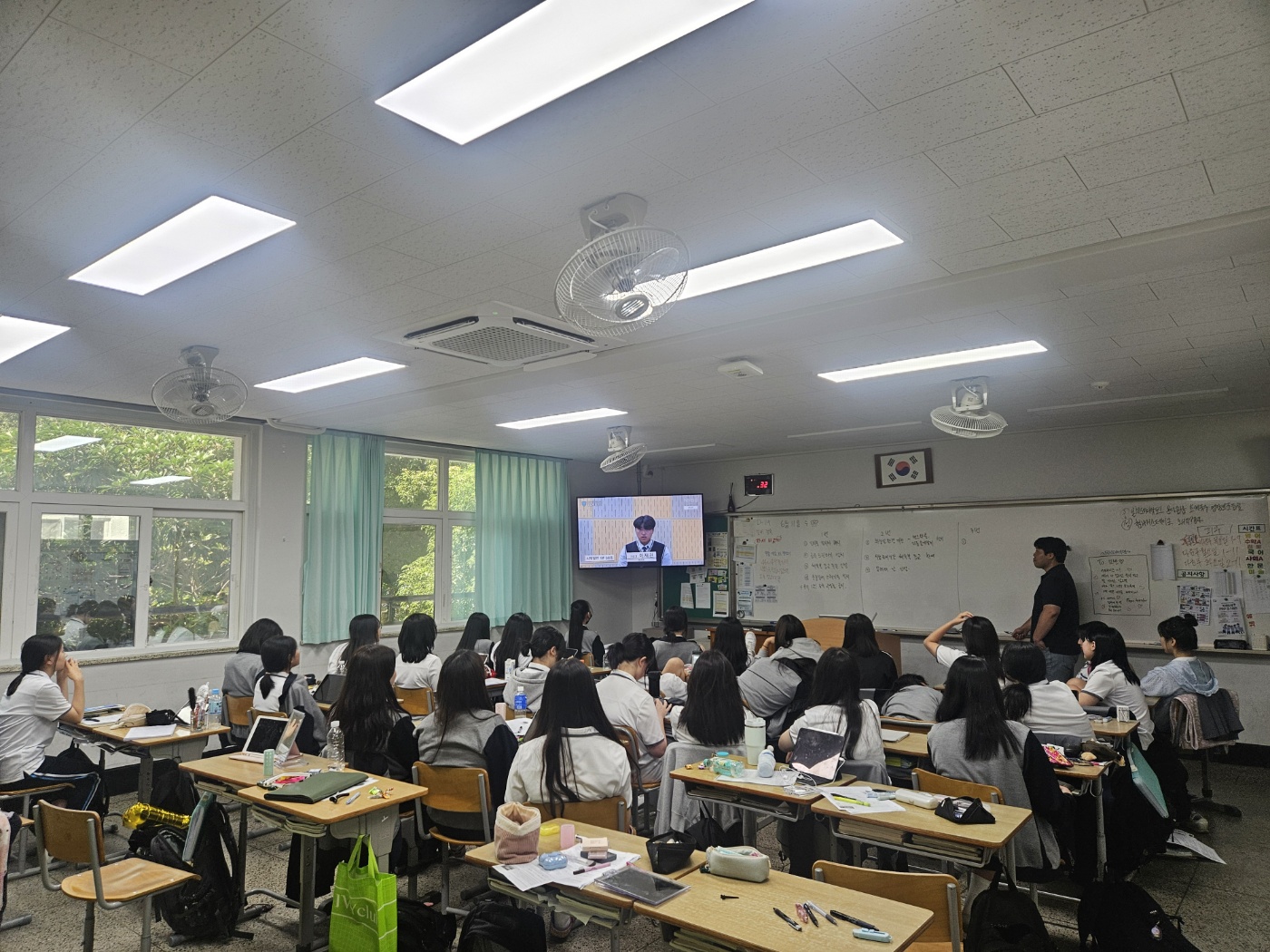
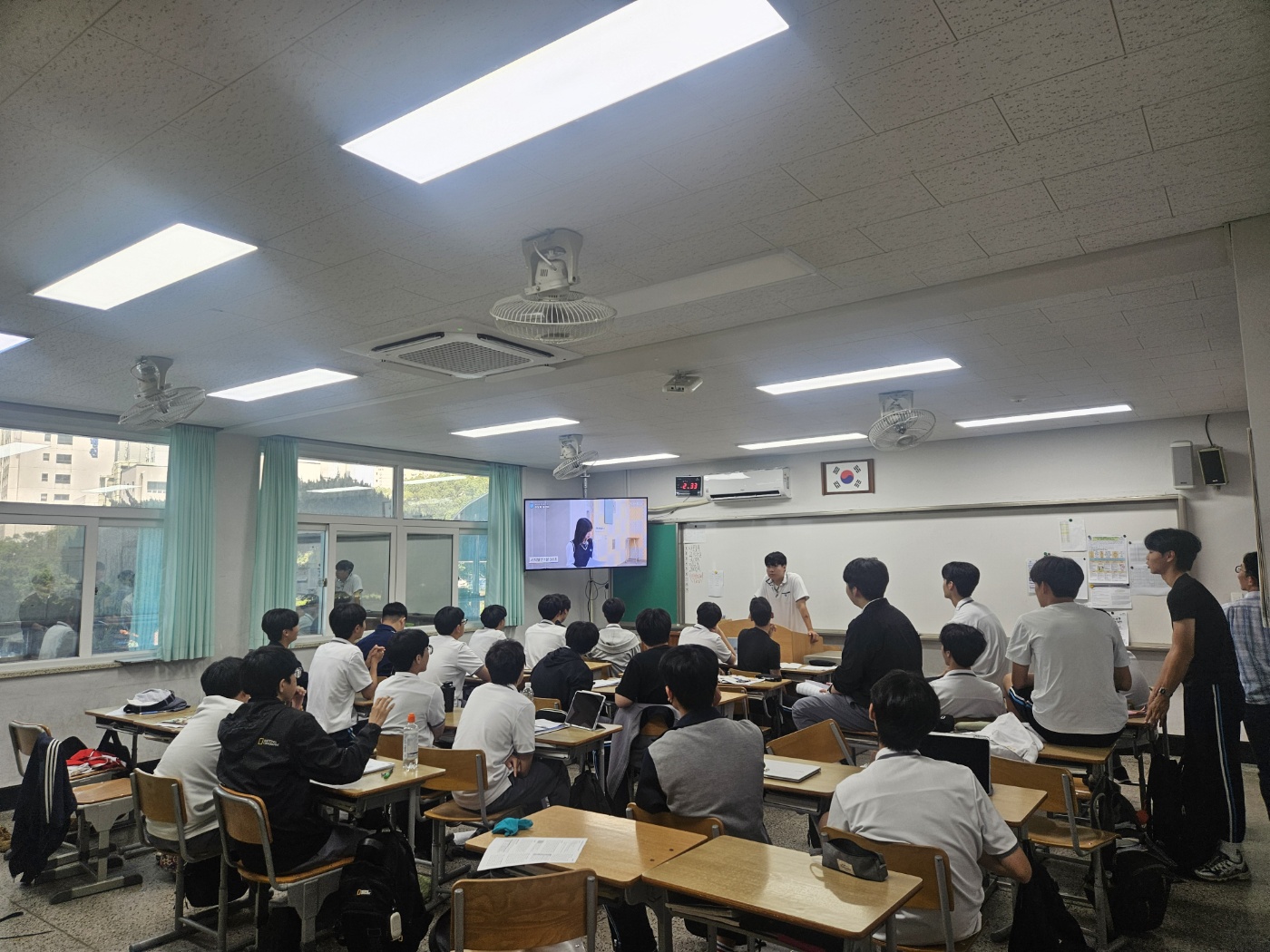
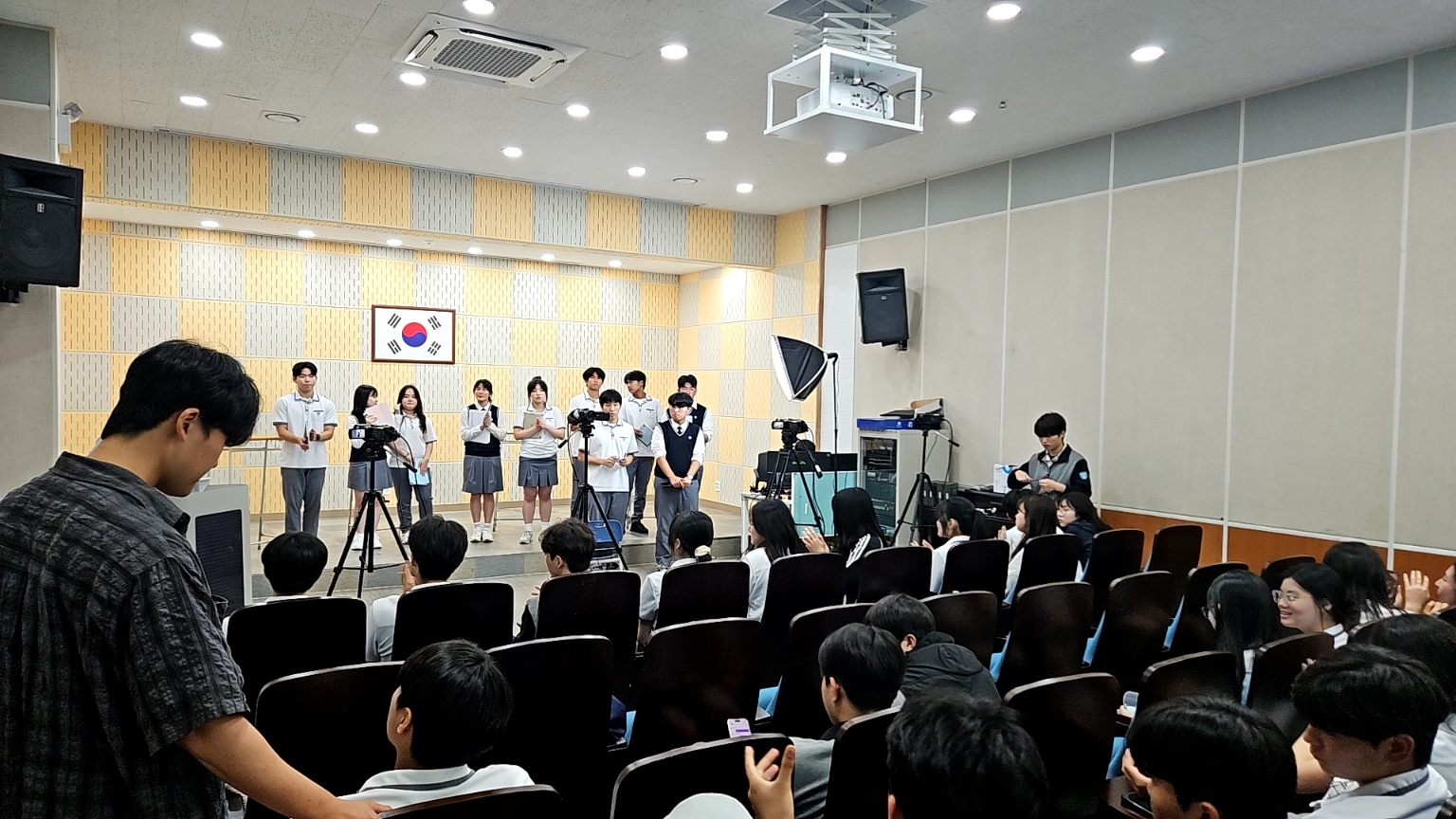
Production Notes for the 2025 Election Debate for President and Vice President of the 40th Student Council#
Overview#
I was in charge of the live broadcast of the election debate for president and vice president of the 40th Student Council, held on June 11, 2025. Unlike last year, I had enough time to prepare and was able to make several technical improvements. This post covers what I tried during the preparation process and the problems I encountered during the live broadcast.
Looking Back at Last Year#
Thinking back on last year's debate still makes me nervous. At the time, I was the only member of the school broadcasting club who knew how to stream on YouTube, so I did not begin preparing until the night before the debate. With one camera, one office computer, and plenty of nerves, the resulting broadcast left a lot to be desired.
The visuals were monotonous, the frame rate was unstable, and the audio quality was poor. Candidates spoke into handheld microphones, the sound came through the speakers, and the camera microphone picked it up again. There was no way that setup could produce good audio. The limited camera angles also failed to convey the tension and energy of the debate.
Throughout this year's school broadcasting club activities, I kept thinking, "I want to produce a proper debate broadcast." This time, I had about two weeks to prepare, which gave me room to try several ideas.
Improvements Over Last Year#
1. A Major Overhaul of the Camera Setup#
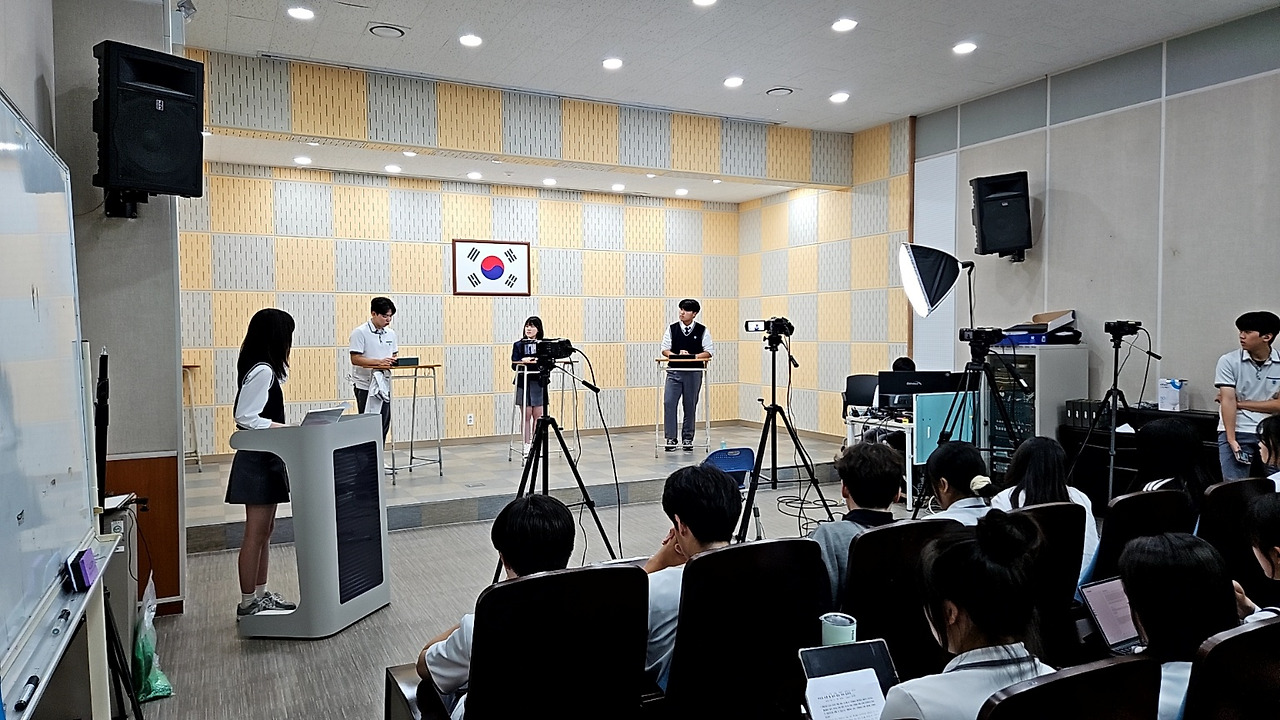
The biggest change was the camera setup. Going from one camera last year to four opened up an entirely different level of production.
There were several hardware problems to solve first. A single MacBook did not have enough ports to receive four camera feeds at once. I bought a Thunderbolt hub to expand the available ports and prepared additional capture cards for each camera feed.
Camera placement also required a lot of thought. I positioned the cameras around the debate table to capture individual candidates, a wide shot of the entire stage, and whoever was asking a question. After several rehearsals, I found the best arrangement.
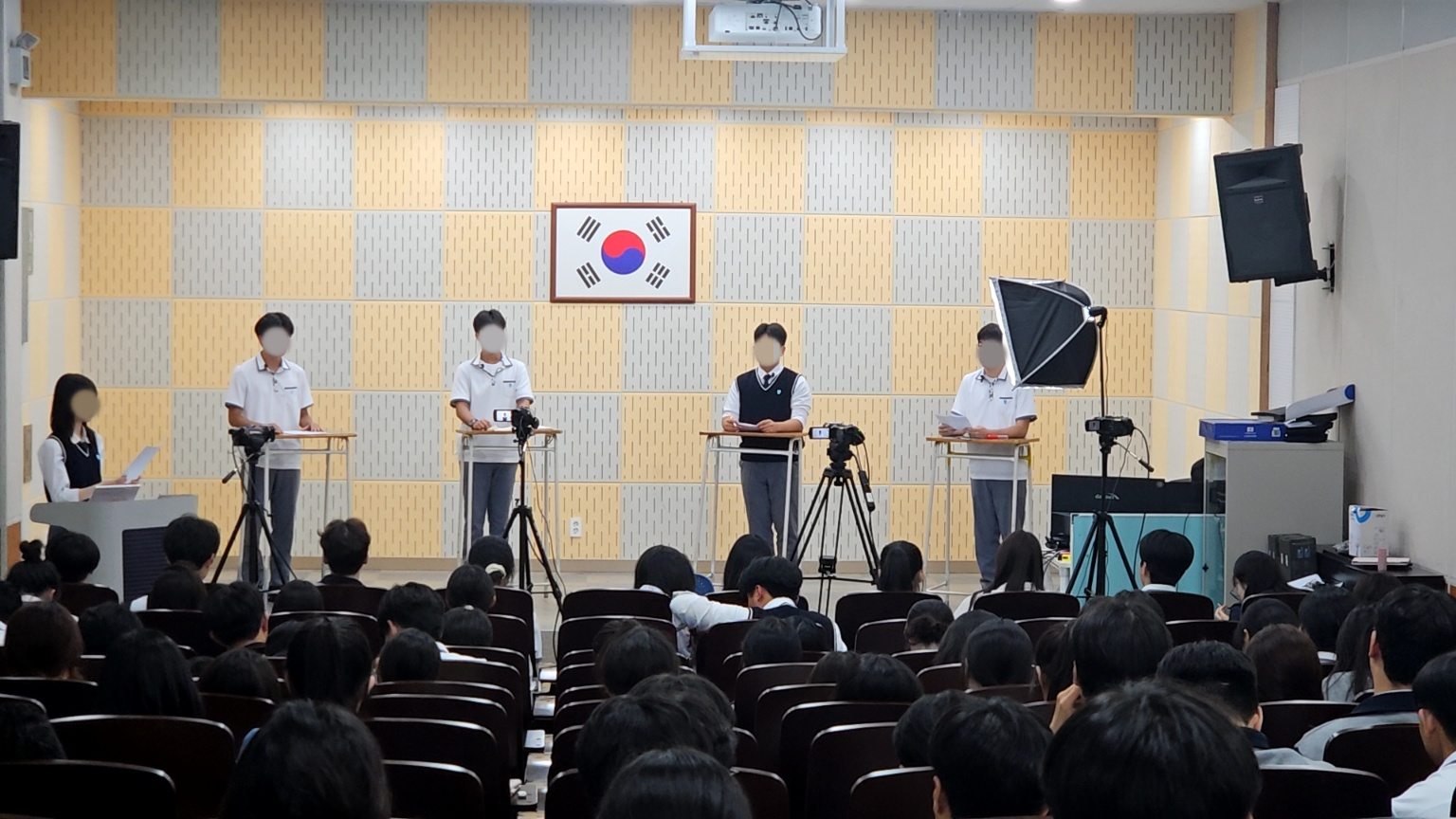
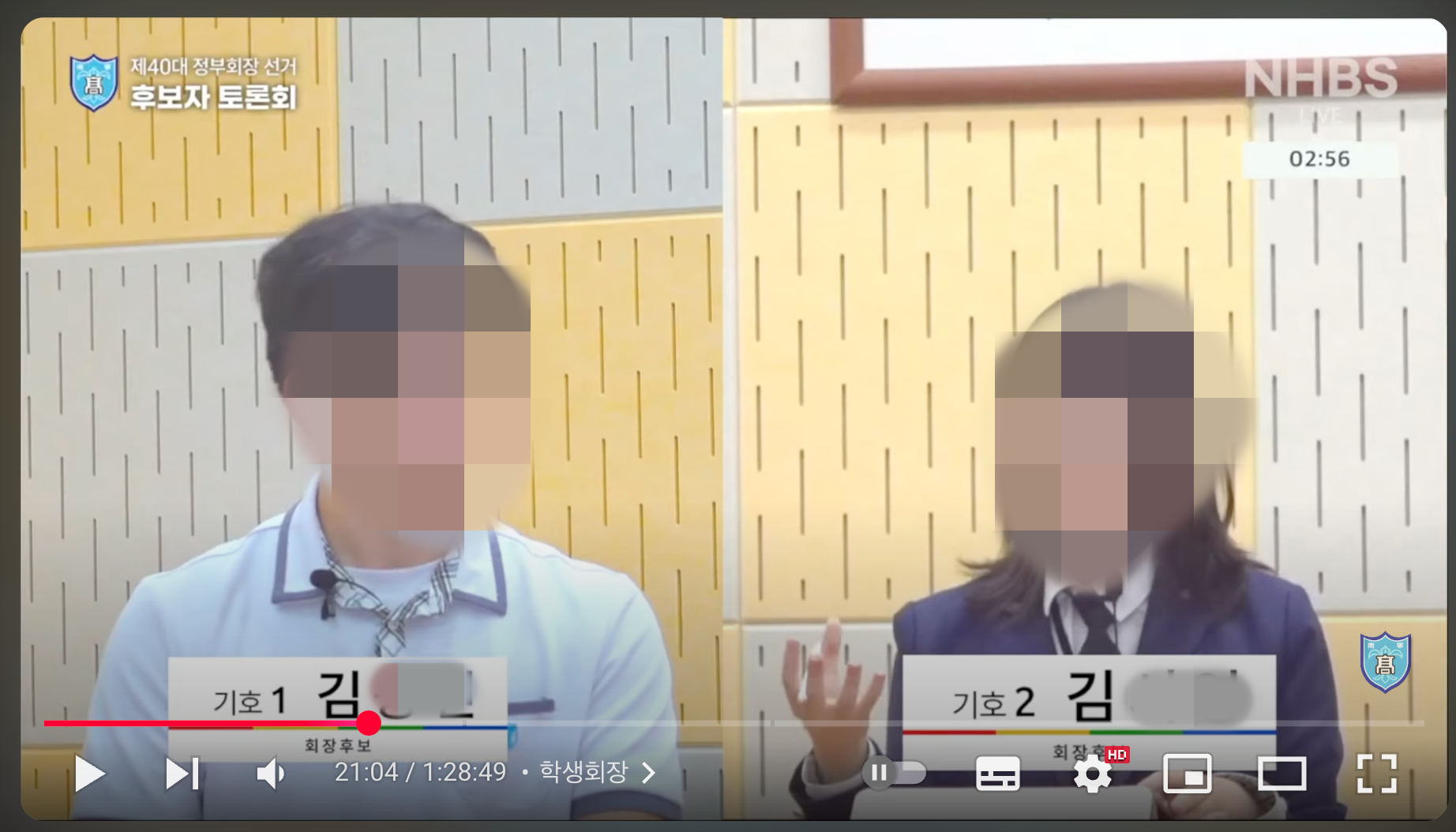
Adding more cameras made many new things possible. Each candidate could have a dedicated camera, allowing us to capture their expressions and gestures while they spoke. Being able to use a split-screen layout was an especially important change. While one candidate spoke, we could show the other candidate's reaction at the same time, conveying the tension of the debate much more vividly.
The multi-camera setup truly shone during the open cross-examination segment. Showing the candidate challenging a point and the candidate responding at the same time made the segment feel like a televised debate. It felt like a professional broadcast.
2. Transforming the Audio System#
The second major change was the microphone system. The old handheld microphone setup had several problems. Candidates had to hold their microphones, which limited their gestures, and the camera microphone picked up sound played through the speakers, resulting in poor audio quality. There was also a constant risk of feedback.
This time, I decided to give each candidate an individual lavalier microphone. After researching several products, I chose ABKO lavalier microphones based on reviews describing their good value and reliable performance. I ordered four so that each candidate could have a dedicated microphone.
(Lavalier microphone fitting test)
The lavalier microphones made a much bigger difference than expected. First, audio quality improved dramatically. The consistent distance between each candidate's mouth and microphone kept the volume stable and reduced ambient noise considerably. The candidates also said they could express their views more naturally because both hands were free.
The visuals looked much cleaner as well. Without handheld microphones blocking the shot, candidates' expressions and gestures were easier to see. The difference was particularly noticeable in close-ups.
3. Building an Automatic Microphone Control System#
Introducing lavalier microphones brought an unexpected benefit: it made an automatic, time-limit-based microphone control system possible.
Previously, audio came through the speakers, so there was no way to mute a microphone automatically when a candidate's time expired. Lavalier microphones, however, could be controlled individually through the OBS mixer. This allowed me to build an automatic microphone control system using a timekeeper, a control panel, and WebSockets.
4. Lighting and Other Setup Details#
Lighting was just as important as the cameras and audio. Previously, we had relied only on the hall's built-in lighting, but this time I prepared an additional light.
Even one light made a clear difference in image quality. Faces appeared sharper, shadows were reduced, and the overall result looked much more professional.
I also paid attention to the background. To create a clean, formal atmosphere appropriate for a debate, I spent time arranging the banner and tables. These were small details, but they helped improve the overall production quality.
Problems During the Broadcast#
1. An Unexpected Internet Outage#
In the middle of the broadcast, the stream suddenly went down. At first, I assumed there was a problem with my setup and hurried to check it, but the school's internet connection itself had failed. Other students also said they could not get online.
It was a very stressful moment. The debate was continuing, but the broadcast was not going out. Fortunately, the internet came back within 1–2 minutes, and I was able to restart the stream immediately. Still, it was frustrating to think that many viewers might have left during that brief interruption.
The incident taught me the importance of a backup plan. In the future, I should have a mobile hotspot or separate internet connection ready. Another option would be to record and stream at the same time so that, if something goes wrong, the recording can at least be uploaded later.
2. A Lavalier Microphone Channel Problem#
The most alarming moment of the entire broadcast occurred during the vice-presidential debate. One candidate's lavalier microphone suddenly began producing static. At first, I thought it was temporary, but it continued and became audible on the broadcast.
After quickly investigating, I concluded that the channel had probably changed while the candidate was putting on the microphone. Every channel had worked correctly during rehearsal, so encountering this during the live broadcast was completely unexpected.
My mind went blank for a moment. The debate was continuing, but only one candidate's audio sounded wrong. I stayed calm, checked the audio mixer, and tested the candidates' microphone channels one by one. Fortunately, I found the correct channel within a few seconds and restored clean audio.
Still, I felt terrible that the candidate had likely been uncomfortable during those few seconds.
The experience showed me that I need a more thorough pre-broadcast check of the audio equipment. I should verify several times that each channel is locked correctly and prepare backup channels in advance. I also need a troubleshooting guide for resolving unexpected problems on the spot.
3. The Difficulty of Multitasking#
Managing four cameras and several audio channels at once showed me how difficult multitasking can be: timing each cut, checking audio levels, and monitoring the stream's status.
It was especially easy to miss a camera switch when the debate became heated. There were moments when it was hard to predict who would speak next, forcing me to switch cameras in a hurry. A few times, I switched too late and missed the beginning of a candidate's remarks.
This experience convinced me that directing the broadcast and operating the equipment should be handled by different people. At minimum, having an assistant dedicated to camera switching would make the job much easier.
4. Higher System Load Than Expected#
Processing four cameras on a MacBook while streaming created more system load than I expected. The fans became loud at times, and the laptop ran very hot. Fortunately, the broadcast did not stop, but a longer event might have caused problems.
In the future, I should either use more powerful equipment or find a way to distribute the processing load. Using external capture hardware to reduce the encoding load could be one option.
Why Preparation Time Matters#
It would certainly be possible to put together a reasonable broadcast with only a day or two. This experience, however, reminded me how important those two weeks of preparation were. The result was on a completely different level from last year's one-day effort. In particular, I learned that introducing new equipment requires enough time for testing.
I also learned that unexpected problems can arise no matter how thoroughly you prepare. What matters is having the ability to respond quickly and a backup plan ready.
What I Would Improve Next Time#
I need to prepare a backup internet connection and establish a checklist to improve the reliability of the audio equipment. In particular, I would like to build a real-time monitoring system to catch issues such as changes to lavalier microphone channels.
I should hold more rehearsals and create a checklist for each piece of equipment so that nothing gets overlooked. Audio equipment, especially, should be checked several times right up until the live broadcast.
Once the fundamentals are reliable, I would also like to introduce a few new features. I am considering live captions and viewer participation features. I would also like to add on-screen graphics for a more professional look.
Next time, I want to run the production as a team rather than alone. Dividing responsibilities so that each team member can focus on their area of expertise should result in a more polished broadcast.
Conclusion#
Two weeks of preparation allowed us to produce a much more stable and polished broadcast than last year. The multi-camera system greatly improved the viewing experience, while the lavalier microphones improved both audio quality and candidate comfort. I also successfully built new features such as the automatic microphone control system. The additional lighting raised the visual quality another level.
At the same time, I encountered unexpected technical problems. The interruption caused by the school's internet outage and the lavalier microphone channel issue were difficult to prevent through preparation alone. These experiences drove home the importance of backup plans and the ability to respond in real time.
Ultimately, a broadcast should provide a good experience for both viewers and participants. Impressive technology and effects matter, but this experience taught me that a stable, reliable broadcast matters more.
Overall, however, I was satisfied with the result. I addressed many of last year's shortcomings, and the event gave me an opportunity to put the skills I had developed through the school broadcasting club to good use.
For the next debate, I want to build on this experience and produce an even more stable and polished broadcast. My goal is to keep taking on new challenges without sacrificing technical reliability.
A future post will cover the automatic microphone control system that I could not explore here. I plan to share the specific code and configuration as well as the trial-and-error process behind it.
Thank you for reading this long post.